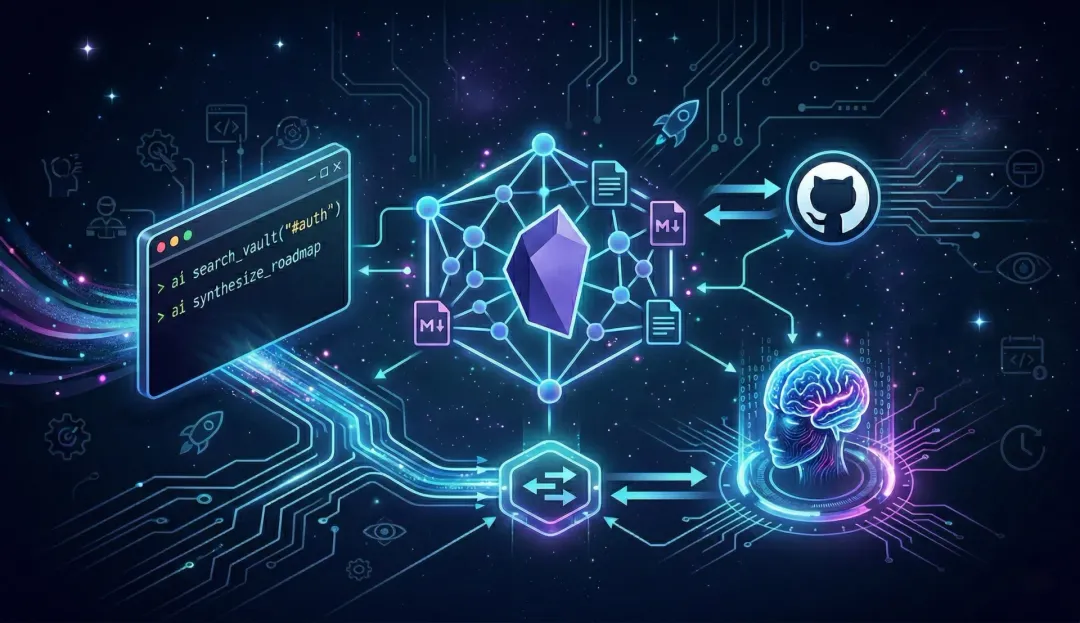
Architecting the Ultimate Digital Brain: Obsidian, AI CLI, and Gemini via MCP
Managing complex engineering projects fundamentally changes how you interact with information. When you are simultaneously architecting backend systems, evaluating new technologies, and trying to keep day-to-day operations organized, a standard note-taking app doesn’t cut it. You don’t just need a passive repository; you need an active, reasoning partner.
I needed a system that could connect the dots between scattered ideas, system architecture notes, and feature requirements. I’ve optimized my “Digital Brain” by connecting my local Obsidian vault to an AI Command Line Interface (CLI) and the Model Context Protocol (MCP).
Here is how I built a highly secure, lightning-fast, terminal-native second brain.
1. The Foundation: Obsidian (Local, Markdown, Fast)
The core of any digital brain must be future-proof. Obsidian is the perfect foundation because it isn’t a locked-down cloud service; it’s just a folder of flat Markdown files on your local drive.
- Speed: No loading screens or sync delays.
- Privacy: System architecture diagrams and product roadmaps stay safely on my machine.
- Feature Connections: Obsidian’s bi-directional linking allows concepts to map together naturally. A note on a new database schema can link directly to a feature requirement, creating a web of context that an AI can traverse.
- Version Control: Because the vault is simply a directory of text files, it is seamlessly connected to a private GitHub repository. Every architecture decision, AI-generated roadmap, or quick brain-dump is committed and pushed. This provides a bulletproof audit trail, acts as a continuous backup, and ensures not a single thought or automated change is ever lost.
But a local vault is passive. To make it active, I needed an interface that fit my workflow.
2. The Interface: The AI CLI
Context switching is the enemy of deep work. If I am in my IDE or terminal, tabbing over to a web browser to ask an AI a question breaks my flow.
I moved my AI interactions directly into the terminal using a custom AI CLI. This allows me to pipe logs, code snippets, or quick thoughts directly into an AI agent without ever leaving my workspace. However, standard CLI tools are isolated and they don’t know what’s inside my Obsidian vault.
3. The Bridge: Model Context Protocol (MCP)
The open-source Model Context Protocol (MCP) is arguably the biggest leap forward for personalized AI since function calling. Think of MCP as a “USB-C port for AI.” It is a standardized way for AI models to securely read from and write to external data sources.
Instead of trying to inject my entire Obsidian vault into a prompt window, I spun up a local Obsidian MCP Server. This lightweight server exposes specific tools to the AI:
search_vault(query)read_note(filename)append_note(filename, content)
4. The Engine: AI as the Catalyst
Because MCP is an open standard, any capable CLI client or LLM can be plugged into it. I happen to use Gemini for its massive context window and speed when ingesting dozens of cross-linked Markdown files, but the specific AI model isn’t the main focus here.
The real breakthrough is realizing that the AI is not the brain; your plain-text files are. Your curated, interlinked markdown notes—safely backed up to GitHub—are the true foundation. The AI agent is simply the “pinch of salt” that activates it. By layering an LLM’s reasoning capabilities over your deeply personal knowledge base, you aren’t just querying an oracle—you are truly extending your own cognitive capabilities.
5. The Workflows in Action: Real-World Use Cases
The real power of this stack is that it brings your historical knowledge directly into your active workspace. Here are a few ways this setup fundamentally changes daily engineering workflows:
Use Case 1: Synthesizing Complex Roadmaps Instead of manually hunting down scattered notes to plan a sprint, you can ask the AI to connect the dots.
- The Command: >
ai "Review all recent notes tagged with #auth and #database. Synthesize these feature connections and draft a unified technical roadmap for the upcoming migration phase." - The Result: The MCP server pulls the relevant Markdown files, follows bi-directional links to grab related architectural decisions, and the AI streams a formatting-perfect technical roadmap right back into your terminal.
Use Case 2: Context-Aware Incident Response (RCA) When a system goes down, generic AI advice isn’t helpful. You need answers tailored to your specific architecture.
- The Command: >
cat error_log.txt | ai "Analyze this stack trace. Search the vault for any previous incidents related to the 'PaymentGateway' service or recent architectural changes to our retry logic, and suggest a root cause." - The Result: The AI ingests the live error log, searches your Obsidian vault for past post-mortems and system design notes, and provides a root cause analysis based on your actual infrastructure history.
Use Case 3: Automated Architecture Reviews Before pushing a new system design to the team, you can use your digital brain as a sounding board to ensure it aligns with your established standards.
- The Command: >
ai "Read my draft in ~/Obsidian/Drafts/New-Microservice.md. Cross-reference this with our core 'Engineering Principles' note and point out any potential bottlenecks or anti-patterns based on our current database limits." - The Result: The AI acts as a senior reviewer that has perfect recall of all your past architectural decisions, ensuring consistency and catching edge cases before you even open a pull request.
The Result: A True Exocortex
This isn’t just a party trick; it fundamentally changes how you build products. Your digital brain is no longer a static filing cabinet. By combining local markdown, Git version control, and that pinch of salt from an AI agent, it becomes a secure, multi-dimensional workspace that actively reasons alongside you, completely driven from the terminal.
The art of intellect isn’t just about what you can remember. It’s about the systems you build to think better.